

Free Digital Tools
Use this free SEO SERP previewer to test your page title, URL and meta description in Google-style desktop and mobile layouts. Measure text width and copy your meta tags.
Loading the SERP preview tool…
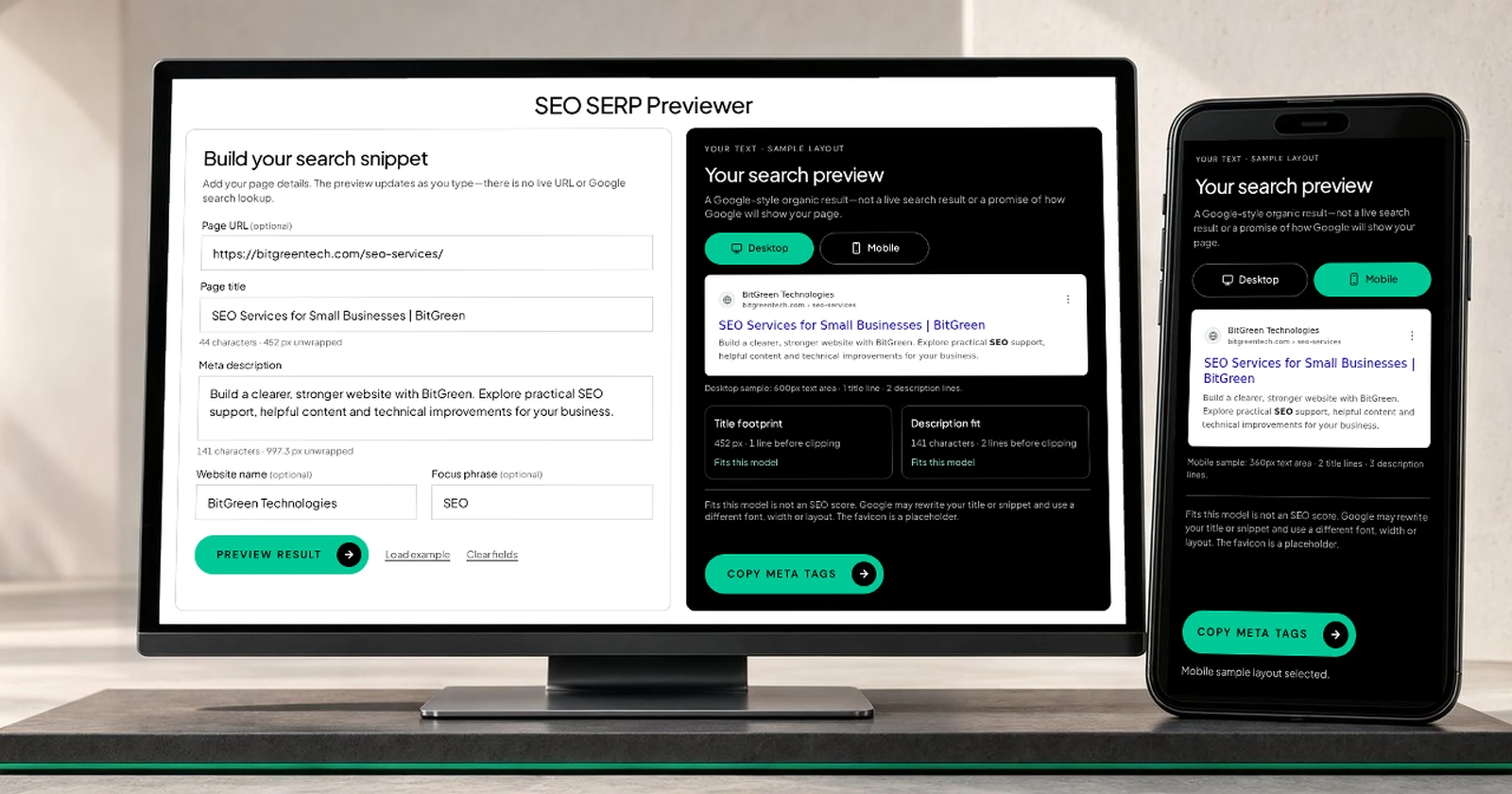
Add your page details. The preview updates as you type—there is no live URL or Google search lookup.
A Google-style organic result—not a live search result or a promise of how Google will show your page.
Fits this model is not an SEO score. Google may rewrite your title or snippet and use a different font, width or layout. The favicon is a placeholder.
Copies the full text you entered, not the shortened preview. No canonical URL, site-name markup or live Google data is included.
About The Tool
An SEO SERP previewer helps you try a page title, website address and meta description before publishing. SERP means search engine results page. This tool places your text in sample desktop and mobile result layouts, so you can compare its size, wording and readability.
It measures the rendered text in your browser instead of treating every character as the same width. A title full of wide letters can take up more room than another title with the same character count. The line-fit labels refer only to the selected sample layout.
Google has no fixed character limit for titles or meta descriptions. It can shorten or rewrite them, and the snippet may change with the search query. This preview cannot predict the exact result. Google's title and snippet guidance explains these limits.
How It Works
Start with the information a visitor needs. Keep the title relevant to the page and use the description to explain its value without making promises the page cannot support.
Enter a title and description. A page URL and website name are optional. Enter plain text, not existing HTML tags.
Switch between desktop and mobile. The preview may scale to fit your screen; the measurements still use the full-size sample.
Review rendered width, character counts and line-fit labels. Optional highlighting shows exact description matches only, not Google's matching rules.
Copy your full title and description tags. In WordPress, paste the text into your SEO plugin's fields rather than adding duplicate meta tags.
Read the measurement correctly. The desktop sample has a 600px text area, one title line and two description lines. Mobile uses 360px, two title lines and three description lines. Both use 20px Arial titles and 14px Arial descriptions. These are this tool's sample presets—not Google's limits. Unwrapped width is the full text on one line; line counts include wrapping and any keyword bolding.
Put It To Work
Use a clear title that describes the page. Explain what someone will find in the description, and make sure the page delivers it. A short, accurate title can be better than a long one written only to fill space. A fits label does not mean the wording is persuasive, accurate or guaranteed to rank.
This previewer does not fetch page metadata, test whether a URL exists, check rankings or save your edits to your website. The generic icon and path-based breadcrumb are placeholders. Google chooses the live site name, favicon, title, snippet and layout.
Need help with your actual website? Explore our SEO services or web development services. Your text is processed by this tool in your browser; your site's other analytics or recording scripts should be reviewed separately.
Independent preview tool. Not affiliated with or endorsed by Google. Search appearance is controlled by Google, not this previewer.